Petting Zoo LAB4
Welcome
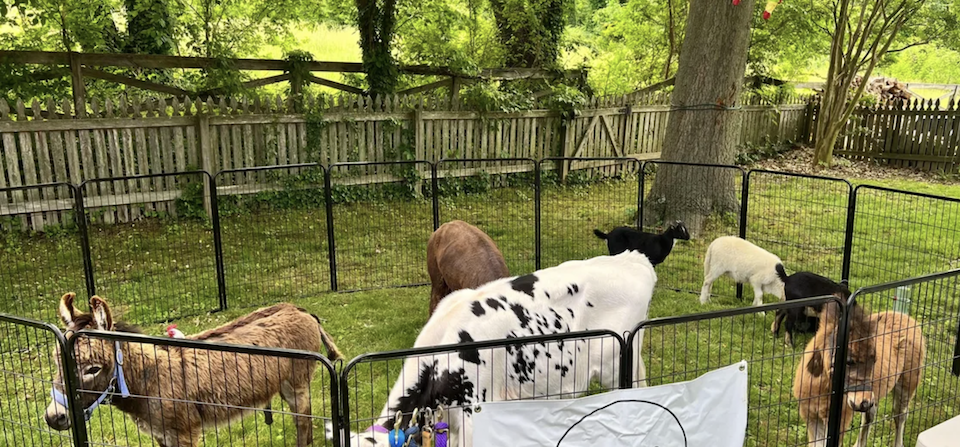
Let’s pet some animals. It makes them happy. It makes us happy.
What We Will Learn
Input
If-statements
String indexing
String slices
Boolean values
While-loops
strip
lower
Break statements
VS Code Extensions
Activity
Begin by creating the folder ~/cmsi1010/lab04, and in it, a new file called zoo.py, with the following contents:
print("Welcome to the Petting Zoo!")

We’re going to build a program to let users decide what they would like to do from a set of reasonable choices. So let’s do some design. Let’s create some options for our users. The first few might be:
see, to get a list of all the animalshelp, to get a list of all the things the user can dopet, followed by the animal’s name, to pet a particular animalbye, to leave the zoo and exit the program
Prompting for Input
When writing an interactive program, it’s nice to give users a useful prompt with a little bit of information.
We will start very simply:
print("Welcome to the Petting Zoo!")
print("Type 'help' to get a list of all the things you can do")
print()
response = input("What would you like to do? ")
if response == "help":
    print("Hang tight, we will be able to help soon")
else:
    print("Sorry, the zoo is still under construction 🚧")
Make sure that works. Next, we’ll implement the commands, starting with help. Having the help text mixed in with the main part of the code can make our code hard to read, so let’s put it in a separate function (which looks much better):
def show_help():
    print("Type 'help' to see this list again")
    print("Type 'see' to see all the animals")
    print("Type 'pet' followed by the animal's name to pet that animal")
    print("Type 'bye' to leave the zoo and exit the program")


print("Welcome to the Petting Zoo!")
print("Type 'help' to get a list of all the things you can do")
print()
response = input("What would you like to do? ")
if response == "help":
    show_help()
else:
    print("Sorry, the zoo is still under construction 🚧")
Run this a few times until you know it is working.
String Processing
Time to implement the rest of the commands. Build the program little by little, preferably typing it all in rather than copy-pasting. There will be a fair amount of new Python code to learn here, especially the string slice that you see in the line animal = response[4:]:
def show_help():
    print("Type 'help' to get a list of all the things you can do")
    print("Type 'see' to get a list of all the animals")
    print("Type 'pet' followed by the animal's name to pet a particular animal")
    print("Type 'bye' to leave the zoo and exit the program")


def show_all_animals():
    print("The animals in the zoo are:")
    print("• Clover the Bunny 🐇")
    print("• Coco the Baby Goat 🐐")
    print("• Arno the Alligator 🐊")


def pet_animal(animal):
    if animal == "Clover":
        print("Clover is so happy! ❤️")
    elif animal == "Coco":
        print("Coco the Baby Goat thanks you! 🥰")
    elif animal == "Arno":
        print("Actually, we cannot allow you to pet Arno. ⛔️")
    else:
        print("Sorry, I don't know that animal")


print("Welcome to the Petting Zoo!")
print("Type 'help' to get a list of all the things you can do")
print()
response = input("What would you like to do? ")
if response == "help":
    show_help()
elif response == "see":
    show_all_animals()
elif response.startswith("pet "):
    animal = response[4:]
    pet_animal(animal)
elif response == "bye":
    print("Goodbye!")
else:
    print("Sorry, I don't understand that command")
String Indexing and String SlicesIn a Python string, each character is indexed starting at zero. So the string
"pet Clover"can be viewed like this:0 1 2 3 4 5 6 7 8 9 ┌───┬───┬───┬───┬───┬───┬───┬───┬───┬───┐ │ p │ e │ t │ │ C │ l │ o │ v │ e │ r │ └───┴───┴───┴───┴───┴───┴───┴───┴───┴───┘Now you can get individual characters like this:
s[8](which will be"e") ors[0](which will be"p"). You can also get a slice of the string. For example,s[5:9]will be"love"(note the last index is exclusive). You can leave off the first and last indexes, too:s[:5]would be"pet Cands[4:]would be...you guessed it..."Clover". Now you see why the code above works, right?
s[:] does. And even s[2:9:2] and s[::-1].
Back to our lab code. Did you notice that this zoo only allows you to do one thing, the then the program stops? That’s pretty sad.
While Loops
We want to maintain the dialog until the user enters bye. For this, we want to bring in two new things: (1) the while-loop, and (2) booleans. Boolean are neither numbers nor strings, but rather their own kind of thing. In fact, there are only two of them: True and False. They are incredibly useful! Change the main part of the code to:
keep_going = True
while keep_going:
    response = input("What would you like to do? ")
    if response == "help":
        show_help()
    elif response == "see":
        show_all_animals()
    elif response.startswith("pet "):
        animal = response[4:]
        pet_animal(animal)
    elif response == "bye":
        print("Goodbye!")
        keep_going = False
    else:
        print("Sorry, I don't understand that command.")
Try it out! If you have any questions, ask in class.
While Loops vs. For LoopsIn a previous lab, we learned about
for-loops. For-loops iterate a known number of times, like through a list or range, and thus express definite iteration. We usewhile-loops when we don’t know ahead of time how many iterations we need. We just keep going while or until some condition is true. That’s indefinite iteration.Sometimes knowing these general, theoretical terms can be helpful in thinking through your programming challenges.
Now is a good time to save your work to your repo. You might be used to the process by now, but it’s ok if you are still learning. Here are the commands:
git add zoo.pygit commit -m "Initial implementation of the petting zoo"git push
Being Nice with the Input We Accept
We have a working app, but there is so much room for improvement. Try typing the following commands:
BYEPet Cloverpet cloverpetCloverhelpHelp
None of these work! You have to type things exactly as expected. We can’t have extra space before or after our commands. The capitalization has to be exact. Can we be a little more lenient?
Here’s something that helps. Change the response line to:
response = input("What would you like to do? ").strip().lower()
strip() removes leading and trailing spaces from your input, allowing you to, well, have extra space around your commands. lower() makes your entire input lowercase, so you can type in your commands in ALL CAPS or sOMe caPS and it will be converted to all lowercase before being tested. This is great for commands, but lowercasing the whole line means the animal names are also lowercased, so you will have to change the == comparisons inside the pet_animal function.
Make those changes now. It’s okay to ask for help.
And oh yeah, remember to save your work to your repo:
git add zoo.pygit commit -m "Be more lenient with the Petting Zoo input"git push
Break
There’s one last variation to try! Notice how the program runs only as long as the variable keep_going is True? It turns out there’s a way to rewrite the program without that extra variable. Give this variation a try:
while True:
    response = input("What would you like to do? ").strip().lower()
    if response == "help":
        show_help()
    elif response == "see":
        show_all_animals()
    elif response.startswith("pet "):
        animal = response[4:].strip()
        pet_animal(animal)
    elif response == "bye":
        print("Goodbye!")
        break
    else:
        print("Sorry, I don't understand that command.")
break takes control out of the while-loop, no questions asked.
break happens which ends the loop.Run it! Then add, commit, and push. Make sure your commit message is something description, such as "Use break to exit the Petting Zoo dialog loop".
VS Code Can Help You Write Better Python
It’s nice if your code could be checked for potential errors or security violations before your code is run, right? Checks for valid syntax, passing the right number of arguments to a function, and a few other things can be checked by VS Code if you install the right extensions. Doing so will prevent the loss of a lot of points on homework submissions.
In lab, we will install the Python extension for VS Code. We’ll go over how to install it, and how to check that it is installed.
Programming is a form of written expression, as are novels, screenplays, technical reports, essays, poetry, and more. Programs are written by people, with other people, for people. It is imperative, and in fact morally obligatory, can the code you write be readable and understandable, and...good! To this end, most programming languages have developed a style guides that programmers should follow, so that all code in the language looks consistent and readable, reducing the cognitive load on teammates to decipher code. Such style guides have conventions for indentation, spacing, naming, line length, capitalization, and more. When such guides are not followed, code looks ugly, inconsistent, unreadable, and one wonders: “if one does not take the time to format the code well, how do we know they took the time to make it work?” Following a style guide shows that you take pride in your work and yourself.
Python’s primary style guide is PEP 8. In lab, we will install the autopep8 extension for VS Code, which will help us automatically format our Python code to conform to PEP 8. After installation, we will navigate to our settings tab and make sure that the autopep8 formatter runs whenever you save a Python file.
Wait, I am just learning! Those extensions feel like a crutch.Well, formatters are not crutches. Sure, you might think that learning how to format code yourself is good practice, but it’s hard to people to manage their own styling, and 99%-styled code can still make you cringe. Let the editor format the code for you so you don’t have look at sloppy text. Beautifully formatted code is pleasant to look at and much easier to read.
These Extensions Don’t Do EverythingTools like these can’t check your program logic, and they can’t really read your mind to tell if your chosen names are great. But they do help a lot.
An AI assistant can often give you some feedback on naming and they do a pretty good job, but even then, they are not perfect. There is still much a human needs to do!
Challenges
Now it’s your turn. Here are some ideas for you to extend the activities above:
- Add a new animal to the zoo. Remember to add its information to the handler for the
seecommand and thepetcommand. - Change all of the text in the program from English to Spanish. The string slice might have to be adjusted. (Looking ahead, the fact that we had to do this means that our code was brittle. Ideally, there would have been a way to pick up the animal name no matter the length of pet command. And there are ways to do that. We will learn them later. We still have many basics to cover.)
- Add a new command to feed an animal.
Further Study
We’re starting to do much more with Python, so you might like to start reading more about the language itself and programming in general. Python has official documentation, and there are a couple books that you might like. Consider reading the following:
- In Think Python, 2nd edition, read, if you haven’t already, Chapter 1 (The way of the Program), Chapter 2 (Variables, expressions, and statements), Chapter 3 (Functions), Chapter 5.1–5.7 (Conditionals), and Chapter 7.1–7.4.
- You can poke around the official Python Tutorial, but be wary that a good portion of the first three sections are not for beginners. You should start at Section 3 and read it (An Informal Introduction to Python) and Sections 4.1–4.8 (More Control Flow Tools).
You’ll probably find the entirety of Think Python worth reading, but the topics in that book are presented in a different order from those in this course. And that’s okay.
Always keep in mind that it’s okay to be a beginnerWe are barely getting started in our study of Python. Our zoo program has some scalability problems: adding a new animal or a new command requires us to change code in multiple places. Even changing the name of a single animal requires multiple modifications. In future labs, we’ll learn techniques to hold “all the information about an animal in one place.” Consider revisiting this lab sometime in the future after learning those techniques.
Summary
We’ve covered:
input()if-elif-elsestatementswhilestatements- The boolean values
TrueandFalse break- VS Code Extensions
Recall Practice
Here are some questions useful for your spaced repetition learning. Many of the answers are not found on this page. Some will have popped up in lecture. Others will require you to do your own research.
- What is the built-in function to get input from a user?
input- How do we ask for a user to input their name and assign what they entered to the variable called
name?name = input("What is your name? ")- How do we print “No drinking” is the value of
ageis less than 21?if age < 21: print("No drinking")- How do we print “Positive” if the value of
xis greater than 0, “Negative” if it is less than 0, and “Zero” if it is equal to 0?if x > 0: print("Positive") elif x < 0: print("Negative") else: print("Zero")- What are the two boolean values in Python?
TrueandFalse- If
sis a string, how do we get the string likesexcept with leading and trailing spaces removed?s.strip()- If
sis a string, how do we get the string likesexcept with all lowercase letters?s.lower()- When writing interactive applications, why is it a good idea to strip and lowercase user input?
So the application can be more tolerant of sloppy user input, since (many) users are human after all.- What is the difference between a
for-loop and awhile-loop?Afor-loop iterates a known number of times, while awhile-loop continues while or until some condition is met.- What are the fancy academic and linguistic classifications for the for-loop and while-loop, respectively?
Afor-loop is an example of definite iteration, while awhile-loop is an example of indefinite iteration.- If
s == "computer", what ares[2],s[3:7],s[5:], ands[:3]?s[2] == "m",s[3:7] == "pute",s[5:] == "ter", ands[:3] == "com"- What does
breakdo?It exits a loop, no questions asked.- What is PEP 8?
The style guide for Python code, which provides conventions for writing clean and readable code.- What are two good VS Code Extensions that Python programmers can benefit from?
Python and autopep8. - How do we ask for a user to input their name and assign what they entered to the variable called