Pod Racing LAB16
Welcome
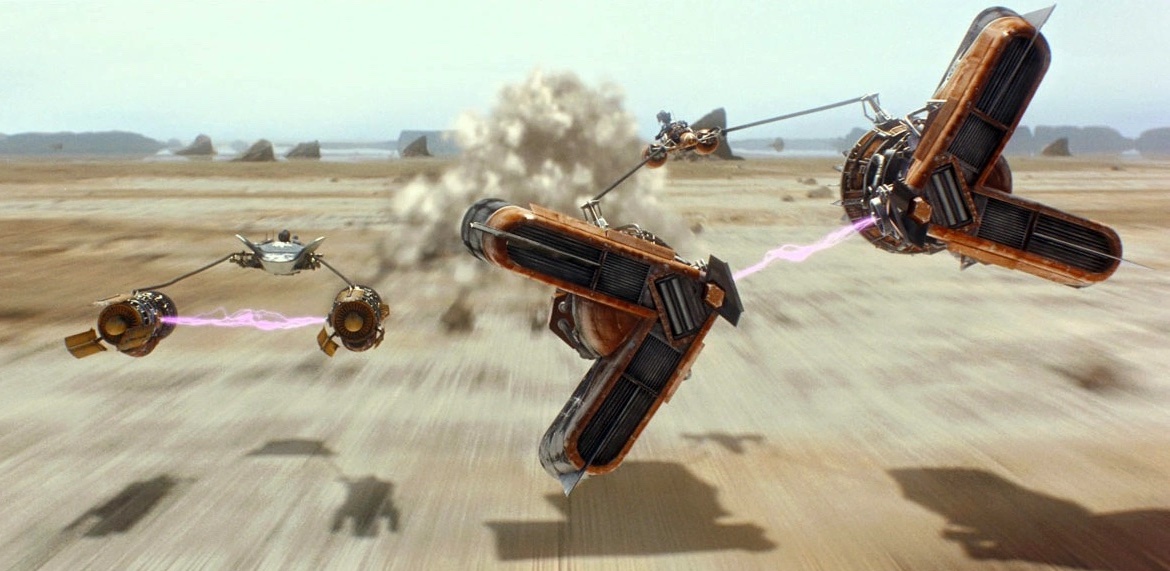
You and your friends set out to build some racing pods. Because you haven’t had much experience in building these things, the pods aren’t all that great. They tend not to respond at all to your commands while you are in them: they have a mind of their own. Some start out able to go fast then they just stop working. Others jerkily speed up and slow down. Some go slow for a bit then unexpectedly accelerate. Rather than risking your lives actually getting in those things, you decide to simulate a race in software.
What We Will Learn
Functions as Values Simulation Matplotlib
Activity
How can we track a moving object?
Wait, what? Why would you care? Well, you might be a rocket scientist, a satellite engineer, or a game developer. It’s a reasonable question.
Let’s start super simple and imagine your object—a racing pod—moves only in one dimension. Because the pods move in only one dimension, we can keep track of the velocity as a single number, in units of, say, meters per second, at various times throughout the race. When the velocity is 0, the pod is stationary, when positive, it’s moving forward, and when negative, it’s moving backward. Here’s an example of a particular pod’s velocity during a race:
| At time | The velocity is |
|---|---|
| 0 | 0 |
| 10 | 9 |
| 20 | 19 |
| 30 | 17.5 |
| 40 | 4 |
| 50 | -7 |
| 60 | -6 |
| 70 | -1 |
| 80 | 12.5 |
| 90 | 17 |
| 100 | 16.25 |
| ... | ... |
| 150 | 8 |
This pod started off with some acceleration, then a massive deceleration caused it to reverse direction for a short time before accelerating again, then it started decelerating again. The table gives only velocities at discrete time steps, but the actual velocity vs. time plot is more likely smoother:
Here’s a pod that rapidly accelerates to 20 m/s then holds that constant velocity:
This one accelerated to 25 m/s then stopped dead. Maybe it blew up?
This poor pod took 30 seconds to even get started, shot backwards for 20 seconds, then in whiplash fashion accelerated to a top speed of 30 m/s.
Here’s another:
As the graphs indicate, the behavior of a pod in a race can be described by a function mapping time instants to the pod's velocity at that time. In this lab, we’ll be “racing” pods by computing the distance they travel, by simulating the pod’s motion over time. We’ll break up the motion into small time intervals and calculate the distance traveled during each interval. How small should we make the time intervals? It’s a lab, so we can experiment. Perhaps we can try different iterations in which we make them smaller and smaller and smaller and smaller and.... Does this remind you of anything?
Get set up
In your ~/cmsi1010 class folder, create the lab16 subfolder with pod_racing.py.
We’ll definitely want a Pod class, but what are its attributes? A pod should have a name (a string), and then its behavior, which is what? It’s a function that takes time as input and returns the pod’s velocity at that time. We haven’t yet learned what the type of a function is yet in Python, so let’s do so now. Start your file like so:
from dataclasses import dataclass
from typing import Callable

@dataclass
class Pod:
    name: str
    velocity_at: Callable[[float], float]

Functions are things you call, so Python gives you a type called Callable. Functions have zero or more parameters and one return value, so the meaning of Callable[[float], float] is that it’s a function that has one float parameter and returns a float. That’s what our velocity functions do: the input is the time instant (a float), and the output is the velocity at that time (also a float).
Now let’s look at a function for a pod that accelerates to 20 m/s over the first 20 s and then maintains that speed. We can write:
  def goes_to_twenty_then_stays_there(t):
      if t < 20:
          return t
      return 20
Then we could make a pod like this:
Pod("Solid Performer", goes_to_twenty_then_stays_there)
But get this: we don’t have to define functions by giving them names. Functions can be written anonymously with the lambda keyword. We can define the pod like this instead:
Pod("Solid Performer", lambda t: t if t < 20 else 20)
Let’s set up a race with four pods. Add this code:
racers = [
    Pod("Solid Performer", lambda t: t if t < 20 else 20),
    Pod("Slow Starter", lambda t: 0 if t < 30 else min(25, (t - 30) / 2)),
    Pod("To Infinity and Beyond", lambda t: t * 0.75),
    Pod("Jerky", lambda t: 15 if (t // 10) % 2 == 0 else -5)
]
Racing the Pods
To race the pods, we need to figure out the distance traveled by the pods over time. We do this by measuring the distance traveled at each interval. For the heck of it, let’s compute the distance traveled in half-second intervals, that is, after $0.5s$, $1s$, $1.5s$, $2s$, $2.5s$, and so on. At time $t=0$, the distance will be $0$. How far does the pod travel between times $t=0$ and $t=0.5$? Well, distance is speed $\times$ time, but what is its speed in that interval? We might not know exactly, but we can get close by taking the average of the speed at time $t=0$ and the speed at time $t=0.5$. If $v$ is the velocity function, then the velocity we’d like to use is:
$$\dfrac{v(0)+v(0.5)}{2}$$
We do this at each interval:
- Between $0s$ and $0.5s$, the pod travels: $\dfrac{v(0)+v(0.5)}{2} \times 0.5$
- Between $0.5s$ and $1s$, the pod travels: $\dfrac{v(0.5)+v(1)}{2} \times 0.5$
- Between $1s$ and $1.5s$, the pod travels: $\dfrac{v(1)+v(1.5)}{2} \times 0.5$
- Between $1.5s$ and $2s$, the pod travels: $\dfrac{v(1.5)+v(2)}{2} \times 0.5$
- Between $2s$ and $2.5s$, the pod travels: $\dfrac{v(2)+v(2.5)}{2} \times 0.5$
But programming is about generalizations. We find patterns (often in repetitions) then define variables that capture that pattern. So in general, given any interval $dt$, the distance traveled is:
$$\dfrac{v(t)+v(t+dt)}{2} \times dt$$
To simulate movement, we compute the distance traveled by summing up, or accumulating the intervals. Now we can create a function that produces a list of where the pod is at each interval. Create it as a method of the Pod class:
    def trajectory(self, total_time, dt):
        distance = 0
        points = [(0, 0)]
        for t in range(0, total_time, dt):
            v_t = self.velocity_at(t)
            v_t_plus_dt = self.velocity_at(t + dt)
            distance += ((v_t + v_t_plus_dt) / 2) * dt
            points.append((t + dt, distance))
        return points
Add this method, then add the following function to print each of the pods’ trajectories:
def print_trajectories(pods, total_time, dt):
    for pod in pods:
        print(f"Trajectory for {pod.name}:")
        for t, d in pod.trajectory(total_time, dt):
            print(f"  At t={t}s: {d}m")
        print()
Experiment with this function by calling it with various values for total_time and dt.
Visualizing the Race with Pygame
You’ve worked with Pygame in several previous labs, so we’ll leave it as a challenge for you to animate a race anyway you like.
Visualizing the Race with Matplotlib
One of the most famous Python libraries is Matplotlib. It is widely used for creating static, animated, and interactive visualizations in Python. You can use Matplotlib to create a visual representation of the race by plotting the trajectories of the pods over time. Make sure, as always, you are in your virtual environment and install:
pip install matplotlib
Now let’s show the four pods in the race as a graph, with time on the $x$-axis and total distance traveled on the $y$-axis::
import matplotlib.pyplot as plt

def plot_trajectories(pods, total_time, dt):
    plt.figure(figsize=(10, 6))
    for pod in pods:
        times, distances = zip(*pod.trajectory(total_time, dt))
        plt.plot(times, distances, label=pod.name)
    plt.xlabel("Time (s)")
    plt.ylabel("Distance (m)")
    plt.title("Pod Racing Trajectories")
    plt.legend()
    plt.grid()
    plt.show()
zipPython’s built-in
zipfunction is really neat. You can read more about it in the official documentation, but here’s an example to give you an idea:>>> list(zip((1, 'a'), (2, 'b'), (3, 'c'), (4, 'd'))) [(1, 2, 3, 4), ('a', 'b', 'c', 'd')]You might not have seen the
*operator that we used above to unpack our list into the multiple arguments needed byzip. Perhaps we’ll do some examples in a breakout session during class.
Try out this function! Here’s a call you might try:
plot_trajectories(racers, total_time=120, dt=1)
We’ll see more matplotlib in the next lab, where we’ll do something Python is known for—data science. Until then, there are plenty of challenges for this lab that await you. As we are approaching the end of the course (only two labs remain), work on the challenges with classmates, and for the really involved ones, an AI assistant can be a great help!
Challenges
Now it’s your turn. Here are some ideas for you to extend the activities above:
- Create several new pods with various interesting velocity functions. Share your favorites with your classmates.
- (🕰) Build a race simulation in Pygame.
- In your Pygame race, implement a feature to pause and resume the race.
- In your Pygame race, add a leaderboard that shows the current standings of the pods based on their distance traveled.
- Explore the Matplotlib site, and look through its gallery of examples to see if you can find any other kinds of charts or graphs to help you visualize a race. You will definitely want the assistance of an AI assistant! Ask it which kinds of visualizations would be most effective for representing the race data. Try out different types of plots and see what works best!
Further Study
Here are some sources for going deeper into the concept of functions as values:
- This discussion about the purpose of lambdas on the Python forum.
- The section on Lambda expressions in the Python Tutorial.
Summary
We’ve covered:
- The
Callabletype - Python lambdas
- Calculating distances from velocity functions
- Matplotlib
Recall Practice
Here are some questions useful for your spaced repetition learning. Many of the answers are not found on this page. Some will have popped up in lecture. Others will require you to do your own research.
- In what kind of professions might you be interested in programmatically tracking the trajectories of moving objects? Robotics, aerospace, automotive engineering, sports analytics, game development, and more.
- What is the difference between speed and velocity? Speed is a scalar quantity representing how fast an object is moving, while velocity is a vector quantity that includes both speed and direction.
- Why in this lab are we keeping track of velocity as a single number? Because the pods are moving in only one dimension.
- How do we represent the Python function that multiplies a number by 2, using a lambda expression?
lambda x: x * 2. - When storing functions as attributes of a dataclass, what type hint do we use?
Callable. - What famous Python library is known for its awesome charts and graphs? Matplotlib